 SketchCraft
Rooms the dollhouse way
If you’ve ever built a house in a life-sim game, you already know how Room mode works. Press, drag a rectangle on the ground, let go: four walls and a floor. That’s a room.
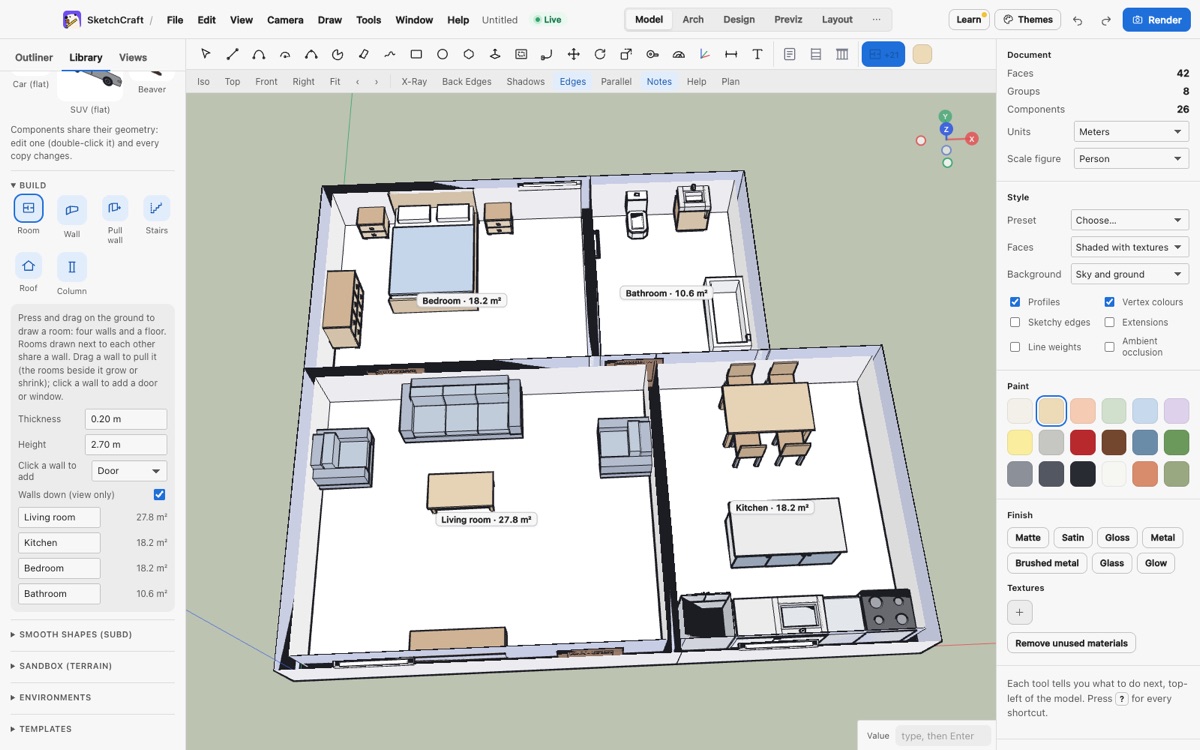
Rooms that get along
Drag a new room next to an old one and they share a wall instead of doubling it up. Drag over an existing room and the two combine into one shape: an L, a T, whatever you’re after. Hold Alt while you drag and you cut a notch out instead. Every room shows its name and its floor area, and the labels update as you go.
Doors, windows, and moving walls
Click a wall to drop in a door or a window (pick which in the Room options). Grab a wall and drag it, and the walls joined to it stretch to follow, doors and windows riding along. That’s the same Wall pull you can use on any wall, not just rooms.
No magic underneath
A room isn’t a special object. It’s a group with its walls and a floor face inside, the same geometry you’d draw by hand. So Push/Pull, Move, materials and everything else work on it as usual, and a file with rooms opens in older versions just fine.
Find Room in the Build panel on the left, or on the Arch toolbar.